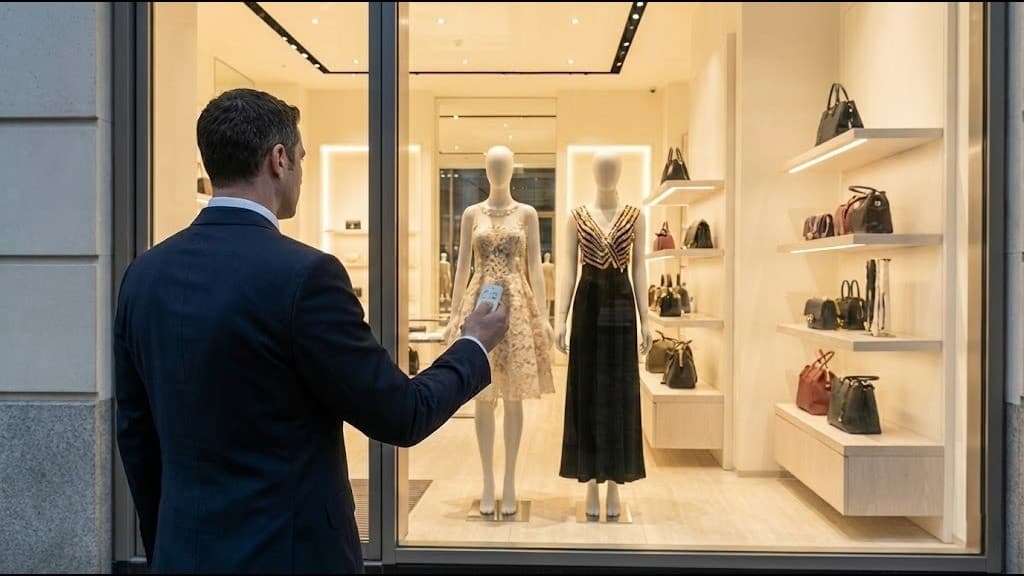
Showrooms and retail spaces are constantly seeking ways to stand out and engage customers. PDLC (Polymer Dispersed Liquid Crystal) smart film offers a powerful solution: turn existing glass partitions and windows into dynamic rear-projection screens that display video, graphics, and interactive content. When the projection is off, the glass can switch to clear or frosted—giving you one surface that doubles as a display and a privacy or design element. This guide explains how rear projection works with PDLC smart film and how to use it in showrooms and retail.
What is PDLC Smart Film Rear Projection?
Rear projection with PDLC smart film means projecting images or video onto the back of a glass surface that has PDLC film applied. The film acts as a projection screen when in its opaque (frosted) state, scattering light and creating a visible image. When switched to clear, the glass becomes transparent again—so the same surface can be a video display, a privacy partition, or a clear window.
Why Use Glass for Rear Projection?
- Dual function: One glass panel is both a display and switchable privacy/transparency.
- Space saving: No separate screen; the glass partition or window is the screen.
- Premium look: Sleek, modern showroom and retail aesthetic.
- Flexibility: Content can be changed instantly; glass can be cleared when not in use.
How It Works: The Science Behind PDLC Rear Projection
PDLC States and Projection
- Power is off (or set to opaque).
- Liquid crystals are randomly oriented; light is scattered.
- The film behaves like a frosted glass projection screen.
- Light from a rear projector is scattered and forms a visible image on the glass.
- Power is on.
- Liquid crystals align; light passes through with minimal scatter.
- The glass is transparent; no projection surface, no image.
So: projection works when the film is opaque (frosted). You typically run the projector when the film is in opaque mode and switch to clear when you want to see through the glass or stop showing content.
Why Rear Projection (Not Front)?
- No shadows: People can walk in front of the glass without casting shadows on the image.
- Brightness: Projector is behind the glass; ambient light affects the image less than in many front-projection setups.
- Clean design: All equipment stays behind the glass; the showroom side stays uncluttered.
- Glare: Rear projection reduces direct glare from the projector lamp for viewers.
Benefits for Showrooms and Retail
1. Dynamic Product Launches and Campaigns
- Use glass partitions or windows as large-format video screens for new product launches.
- Run looped videos, animations, or live feeds.
- Switch to clear when you want to show physical products or open up the space.
2. Space Efficiency
- No need for a dedicated screen or TV wall; the glass partition or window is the display.
- Useful in compact showrooms where every square foot counts.
- Same glass can be used for privacy (opaque) or openness (clear) when not projecting.
3. High-Impact Visuals
- Large, seamless displays create a strong visual impact.
- Content can be updated remotely (videos, graphics, promotions).
- Combines digital content with physical products for an immersive experience.
4. Brand and Experience
- Modern, tech-forward image.
- Flexible storytelling: video when needed, transparency when needed.
- Suitable for automotive showrooms, real estate, retail, and B2B showrooms.
Applications in Showrooms and Retail
Automotive Showrooms
- Product features: Project specs, safety ratings, or promotional videos on glass partitions or windows.
- Configurator: Use the glass as a large display for configurator or comparison content.
- Clear view: Switch to clear when customers want to focus on the vehicle without screen distraction.
Real Estate and Property Showrooms
- Virtual tours: Project property videos or 3D walkthroughs on glass.
- Location maps and amenities: Display site plans, amenities, and lifestyle content.
- Transparency: Clear the glass for natural light and views when not in use.
Retail and Fashion
- Campaigns: Run seasonal or campaign videos on storefront or in-store glass.
- Lookbooks: Display lookbooks or runway clips.
- Window displays: Combine physical mannequins with dynamic video on the same glass.
Corporate and B2B Showrooms
- Product demos: Use glass as a demo screen for software or hardware.
- Brand films: Show company or product videos during visits.
- Privacy: Use opaque mode for meetings; clear mode for open space.
Technical Considerations for Rear Projection with PDLC Film
1. Projector Choice
- Brightness: Use a projector with sufficient lumens (e.g. 3,000–5,000+ ANSI lumens for brighter showrooms).
- Resolution: 1080p or 4K for sharp text and graphics.
- Throw distance: Short-throw or ultra-short-throw projectors reduce depth behind the glass.
- Placement: Projector must be aligned perpendicular to the glass to avoid keystone; use keystone correction or lens shift if needed.
2. Glass and Film Setup
- Glass: Clean, flat glass; minimal texture. PDLC film is applied to the glass (typically the side facing the projector).
- Size: Larger glass = larger image; ensure projector brightness and resolution match the size.
- Ambient light: Control showroom lighting to improve contrast and visibility of the projected image.
3. Control and Integration
- Film control: Integrate PDLC power supply with your showroom control (e.g. switch to opaque when projecting, clear when not).
- Content: Use a media player, PC, or digital signage software to drive the projector; schedule or trigger content as needed.
- Sync: Optionally sync “opaque + projector on” with specific times or triggers (e.g. visitor presence, product display).
4. Viewing Side
- Viewing from showroom: Audience sees the image on the “front” of the glass (the side opposite the projector).
- Uniformity: PDLC film in opaque mode should give even scattering for a uniform image; quality film and professional installation matter.
Best Practices for Showroom Rear Projection
Content and Layout
- Design content for the actual aspect ratio and size of the glass.
- Use high-contrast graphics and legible text; avoid fine detail that may be lost at distance.
- Keep key information in the centre; edges can be slightly softer depending on setup.
Environment
- Reduce direct light on the glass to improve contrast.
- Use blinds or dimmers so you can darken the area when showing important content.
- Ensure the space behind the glass is dedicated to the projector (no obstructions, safe wiring).
Maintenance
- Clean the glass and film according to the manufacturer’s guidelines (no abrasive or harsh chemicals).
- Periodically check projector alignment, focus, and lamp life.
- Check PDLC connections and switching so opaque/clear works reliably during demos.
Cost and ROI Overview
- PDLC film: Cost depends on glass area; typically quoted per sq ft.
- Projector: Budget for a suitable brightness and resolution (short-throw preferred for space).
- Installation: Professional application of film and electrical connection for switching.
- Content: One-time or ongoing cost for video/graphics and signage software if used.
ROI: One glass surface serves as both a dynamic display and a switchable partition—replacing or complementing separate screens and adding a premium, flexible element to the showroom that can support sales and brand experience.
Conclusion
PDLC smart film turns showroom glass into a rear-projection surface that can display dynamic video and graphics when in opaque mode, and switch to clear when you need transparency or a clean look. By combining rear projection with PDLC switchable film, showrooms and retail spaces can create high-impact, flexible displays that support product launches, branding, and customer experience—all without sacrificing the dual use of the same glass for privacy or openness.
---
Ready to transform your showroom glass into a dynamic video display? Contact Shreesha Tech for PDLC smart film solutions, rear projection setup guidance, and professional installation across India.